This is a common problem that Shopify users run into. Follow these steps to get your images to be the same size on your storefront!
1. In your Shopify admin, under sales channels, click Online Store

Next, click Customize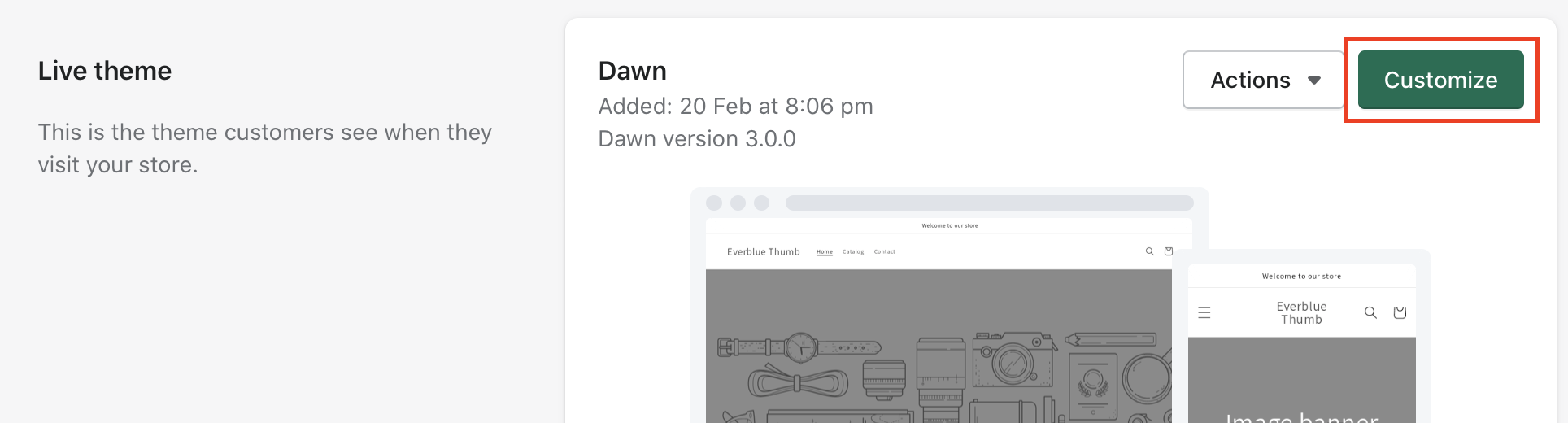
2. Select “Collections” > Default Collection


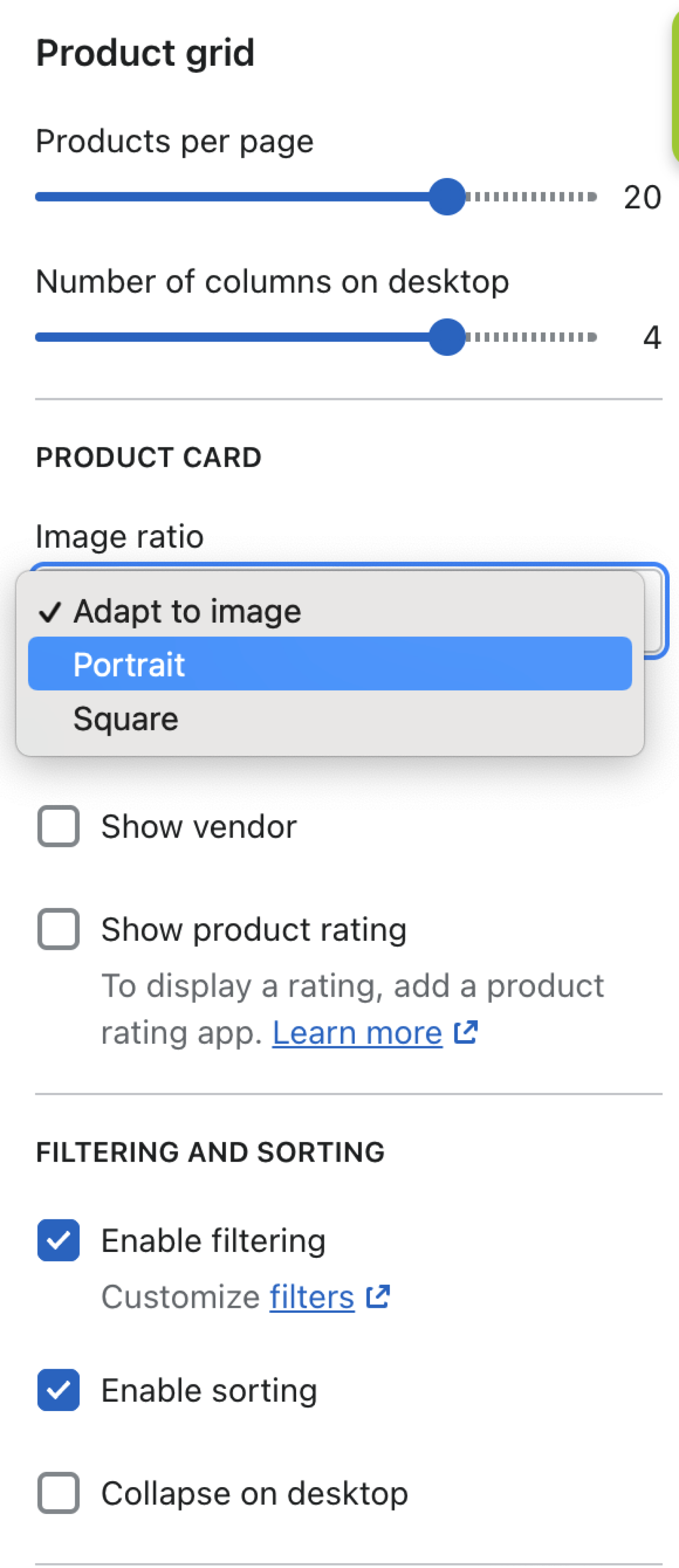
3. Click on “Product Grid”

4. Change the “Image Ratio” to either portrait (vertically long) or square
Don't forget to save your changes!
Comments
0 comments
Please sign in to leave a comment.